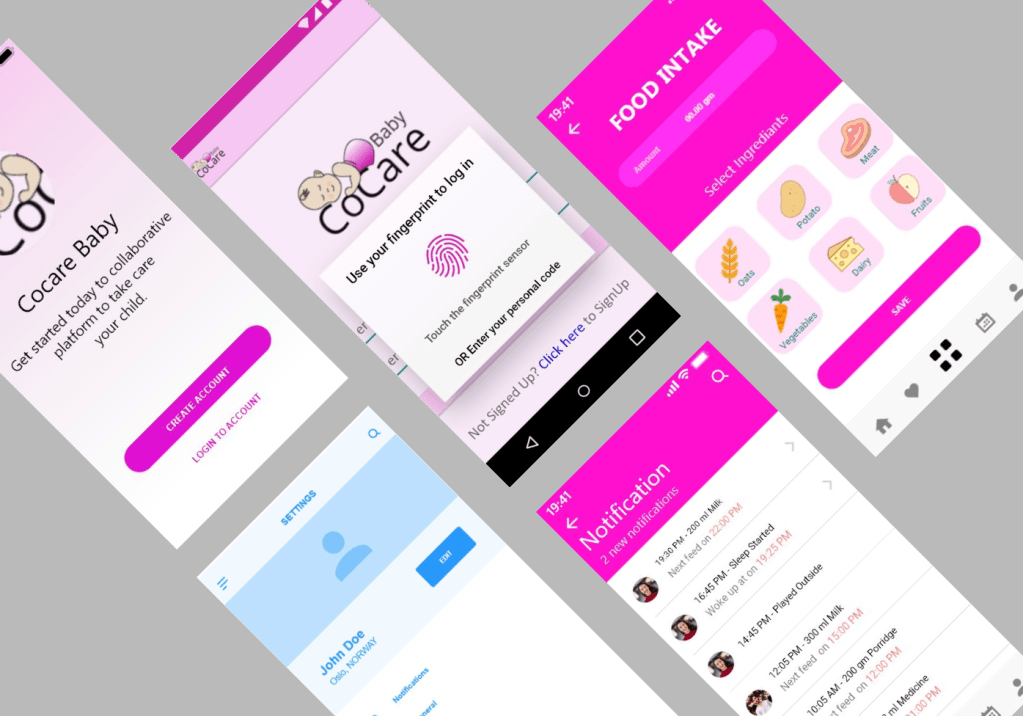
CoCareBaby is a secure technological ecosystem and privacy-focused social care platform targeted for newborn babies and babies up to 5 years.
The concept is to create a digital tool for managing the caregiving process and introducing the possibility to collaborate securely among a group and monitor the process remotely. The example of care management can be managing dietary needs, hygiene, medication, allergy and other activities of the child.
Role: UI/UX Designer
Assignment date: February 2019 – May 2019
Process
Methodology
I used Lean UX principles in the design of “CoCareBaby” to focus on users and functionalities at each phase of the process.
With following the Lean UX, it helped to formulate and validate the concept and hypotheses.
Research
I conducted research on the concept of the collaborative platform for caring for babies, the potential users, possible use cases, similar digital systems (if available) and the impact of the system.
The findings of the research were very interesting. Some of the findings after the research were:
- 55120 young adult population became parents in 2018 in Norway alone. (Potential Users)
- Few applications were in the market which only records diet history and vaccination history of a child. (Market Survey)
- No other collaborative digital platform is in existence. (Market Opportunity)
- More than 50% of this population has to quit their job to take care of their newborn babies. (Fact Point)
- The circle of care for a child include parents, guardians, doctors and babysitters. (Project Scope and Diversity of users)
Persona
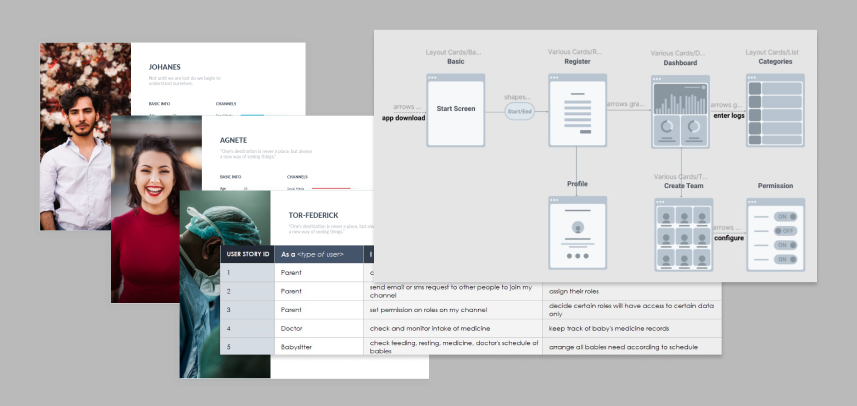
Based on the research I set up three personas. The development team referred to them throughout the entire product development process.
- Each persona has roles and scenarios that identified a realistic goal the user might have when using this system.
- The information about each persona focused on its goals and frustration with the system as well as their interaction with it, this drastically affected my design decisions.
User Stories
User research and persona helped to identify the user’s main needs, goals and behaviour. The challenges encountered after user research and persona were:
- information overload
- data privacy
- common platform for all stakeholders
User stories helped to have an overall perspective on how the user will likely to use the system and what do they expect from the system.
UI flow
After identifying the user’s need, goals and behaviour, I drew the UI process flow, which provides a flow-on how a user would interact with the application. During this stage, several challenges were encountered like 3-clicks more, losing context , etc and solved during this UI flow stage.
Wireframes
Lo-fi wireframes were drawn to ideate the UI and UX. Lo-fi wireframes helped to test the flow of the UI and helped to identify various challenges. It was continued for several iterations until those challenges were solved.
Hi-fi UI Design
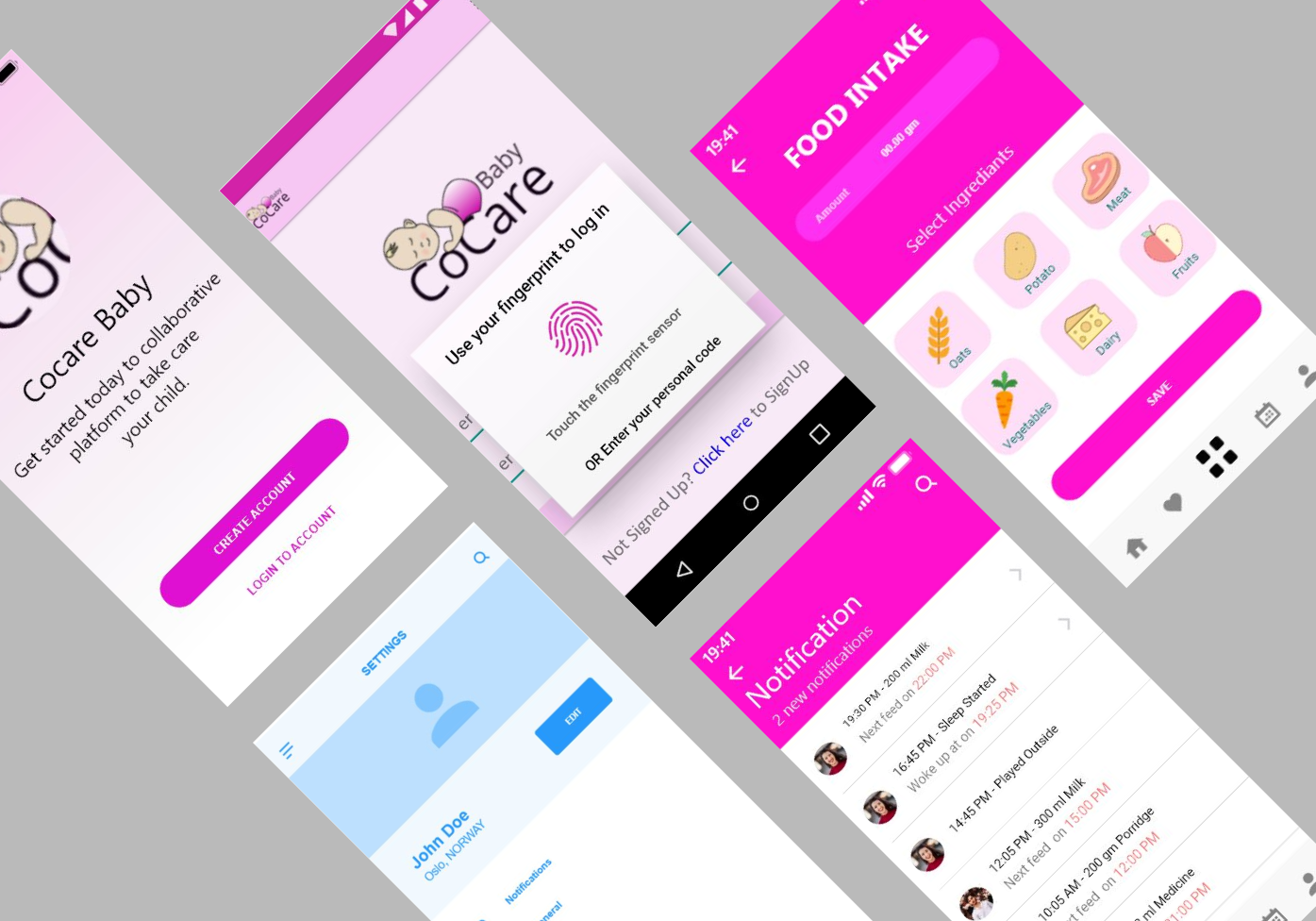
Based on the wireframes, prototypes were created. User testing was carried on these prototypes. After testing over another iteration changes were made on the design. The prototype evolved during the iterations, solving the challenges and adding usability and better interaction.
It was important to follow the context of the application and improve the design on every iteration after testing.
– Findings:
- It was helpful to know who is responsible for which tasks.
- Different users profile would have different responsibilities.
- Doctor appointments or vital appointments needed to be accessible in from anywhere.
- Comment or feedback on recent notifications.
Design Solutions:
- Display notification with users display picture or profile name.
- Added heart icon which contains responsibilities or assigned tasks of each profile.
- Appointment icon added bottom navigation bar for quick and easy access.
- Feature of feedback or reacting on recent notification on dashboard added.
Learnings
- Market, Product and User research are very important
- Start with the empathy, Empathy is key for UX Design,
- User-Centric or User-first approach translates into a good business
- Following a design principle / strategy increase the efficiency of the process
- Share the design work with non-technical team members
- usability test matters
- Change is a good thing – Change is the game of the UX
- Work in iterations
 Bikram Awale